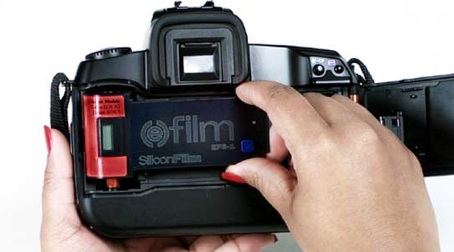
labeling tapes is important when editing so you can identify what tape or film you need. Labeling tapes comes from the old process of editing. You would have physical hard copies of the footage that would be stored on tapes. Nowadays everything is done via a computer or digitally because it is more efficient and quicker/ less time consuming.
The main reason for labeling is that you can easily identify which tape is which. The same process apply with naming clips.
The director is with the editor for up to 80% of the editing process. Working so closely with each other develops a relationship between the two.
With film the director is listening to the editors ideas, the editor understands the rhythm, pace and style. The director does not sit there and tell the editor what to do.
It is important for the editor to have full understanding of what the director wants from each scene. All aspects are discussed such as shape, rhythm, pace, mood, tone, atmosphere and what the director wants the audience to feel.
The video above explains how the director and editor work together to produce a successful edit, also the importance of it.
Synchronizing rushes is very important when editing a film because all in all it is the key to whether the film is professional of amateurish. For example, if you have 2 characters talking, it is crucial for the audio to be perfectly in time with the movement of their lips. If the audio does not match the physical then the film will seem very discombobulated and will become hard to watch.
When the rushes are synchronized it means that the audio and video will match, as a result the scene will run smoothly.
The video above explains how to video and audio together in AVID media composer.
It used to be that you would store tapes. You might wonder what are tapes? Tapes are long, narrow material with magnetic properties that are used to record sound, picture or computer data. Tapes were what every film maker would use before digital film was produced.
It was important to store your tapes for the simple reason that if they were damaged, all your footage would be damaged with it. Imagine spending all week filming and then your tape gets damaged so that week has gone to waste. To prevent this from happening, you would need to store your tapes in a safe house or a safe place. There are places that you can store your tapes in to prevent them from getting damaged or lost, however they require a sum of money for the services they provide.
Storing film has the same principal. If your film is damaged or lost in anyway your footage will be lost. A good place to store film would be to make another copy of the film and store it on a hard drive just in case then if the film is damaged you have another copy. With film, you can store it digitally. The difference between tapes and film is that tapes are physically stored, films are digitally stored.
Resolution is the quality of the picture. Numbers like 1080p and 720p refer to a TV's screen resolution. The more pixels a screen has the more detail it can show. A 720p TV screen has 1280 pixels across by 720 pixels down, when you multiply those numbers you get the total number of pixels which is 921,600.
Resolution is important in film because it is the detail of the picture. The detail of a picture is important because nowadays it is a key thing that attracts the audience. The audience expects a high quality resolution and if there is not then they will find it very difficult to be engaged in the film.
As you can see by the clip above, the resolution is low. The quality of the picture is very grainy and takes away the cinematic experience from the audience.
Below is now a clip with high resolution.
As you can see, the detail of the image has improved dramatically. The picture is crisp and clear for the audience to watch and makes it more realistic due to the quality being close to how we view things in real life. This gives a better experience for the audience.
A rushes log is a form of video logging. Video logging is a process in which video footage is watched and labeled according to its content.
Why should you use a rushes log?
You should use a rushes log because overall it saves time in the editing process. Finding a particular shot by searching through hours of video during editing is very time consuming, as well as using expensive editing equipment and using up the editors time. Producing a rushes log means that you can you go through the source video material, label it according to its content and then store it until it needs to be used. This makes the video material easy to access and is available during editing, therefore making the editing process more efficient.
Software based logging systems allow clips to be imported directly into a computer based editing system (AVID). This makes a huge difference in the timescale of editing, this is because instead of logging the clip, importing it and then importing the clip onto an editing system you can simply log the clip and import it onto the editing system from the log.
Furthermore, after you have produced a rushes log it gives the ability for the director to look over all the rushes with the crew to analyze what happened. This means that the rushes can be checked an due to them being organized and easy available the analysis is not time consuming. It would be if you did not have a rushes log, then you would be searching through hours of footage to find a clip only to analyse and move on to the next.
What would a log look like?
A video shot log is a written record of the shots on a tape or disk. The shot log can be made either before or after the shooting process however would be easier if it was made during the shoot, this is because it will be easier to log as you go down so you do not miss anything out and will save you time later.
A shot log consists of how many takes the clip took, the duration of the clip, the description of the clip, the audio and further comments. As you can see, the shot log is created in detail so each clip can easily be identified when needed in the editing process.
In the video above it gives a simple tutorial on how to create a shot list. As you can from watching the clip, each shot that he takes down is written in detail so the editor knows exactly what the clip consists of.